How to enable CAMERA in Remote Desktop
To enable the camera on your remote desktop you need to EDIT the LOCAL RESOURCES of ht RDP File.
These instructions only work for WINDOWS.

1.) Right click you Remote desktop and click EDIT
2.) select Local Resources tab
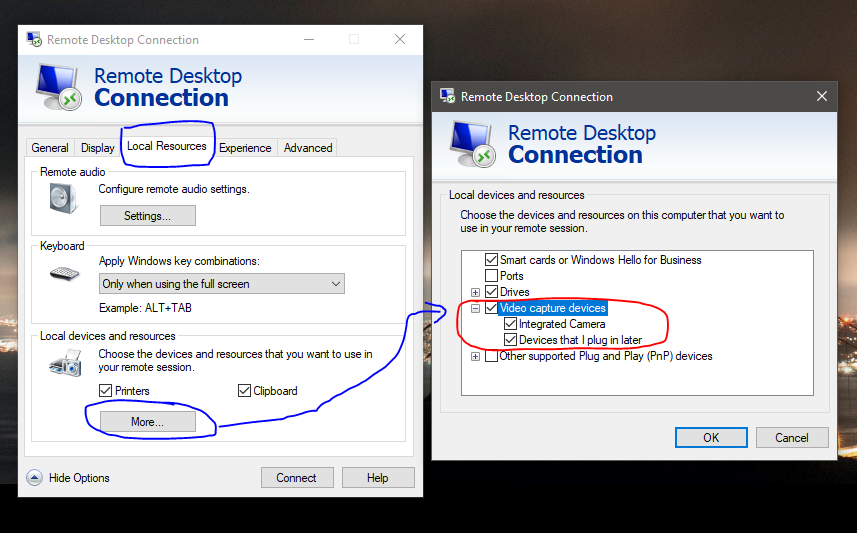
2.) Go back to GENERAL TAB and then click SAVE then you may Reconnect.
