How to properly Sign-out from Remote Desktop
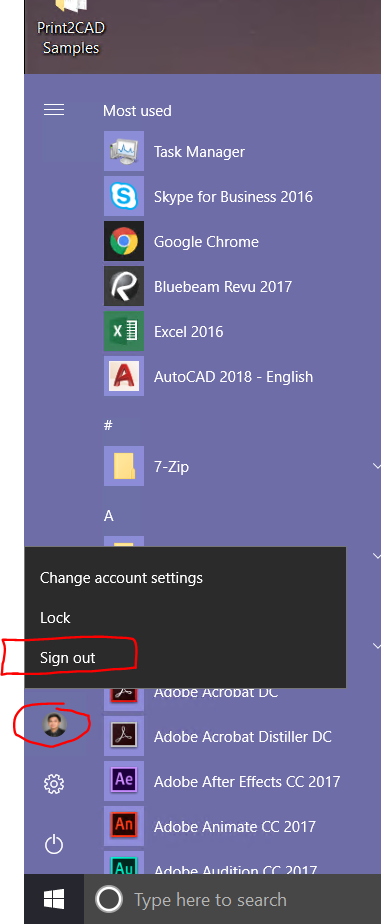
Step 1: Click Windows start Menu
Step 2: click the top option which has your profile picture
step 3: click sign out
KEY NOTE:
The difference between Sign-out and Disconnect is when you disconnect everything will still be there if you have your CAD open it will still be there.
with contrast to signing-out everything will close
How to Disconnect ONLY
Option A:

Option B:
