Install Microsoft Planner and Microsoft Whiteboard on Remote Desktops
Since there is no official desktop app for either of these that can be installed directly, we have to use a work around. Please note that each user has to take these steps:
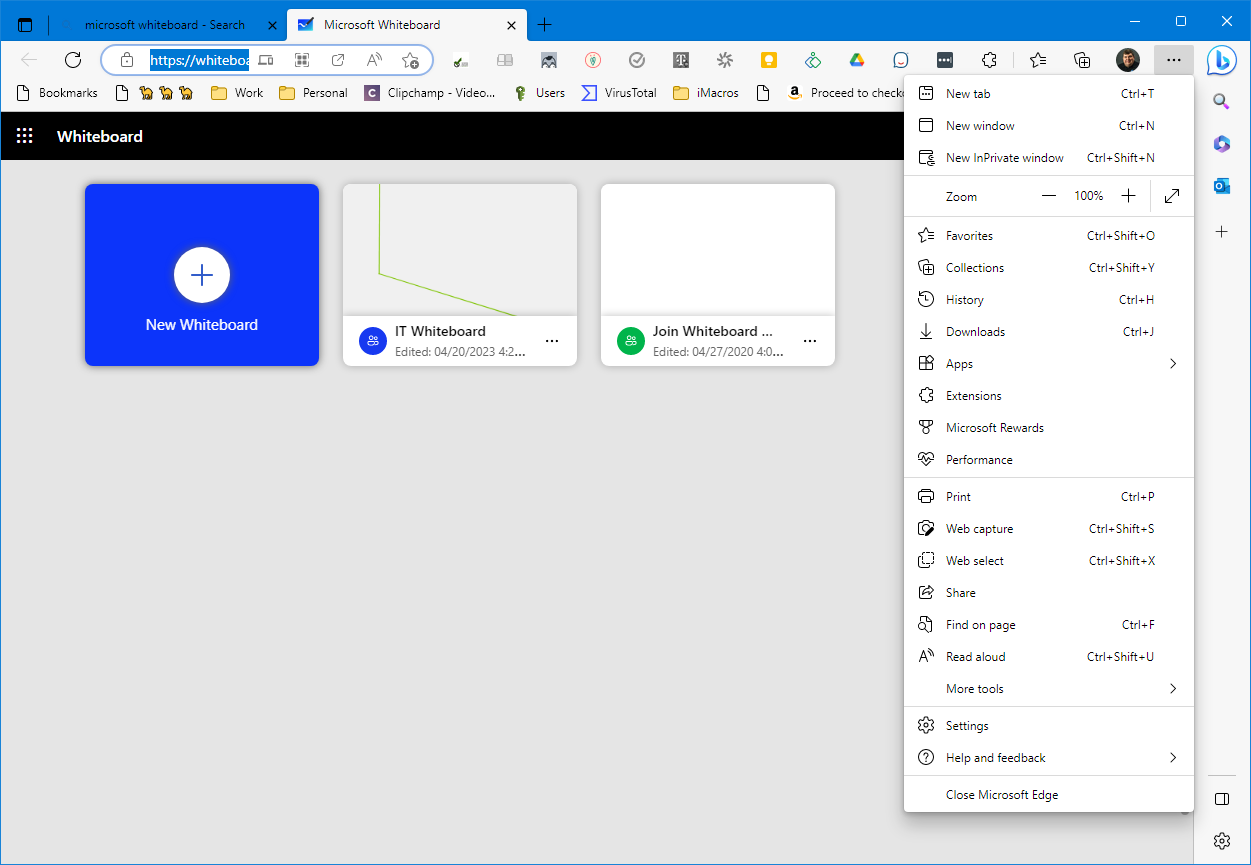
- Open the app in Microsoft Edge Browser:
- Click the three horizontal dots to the far right of the URL bar
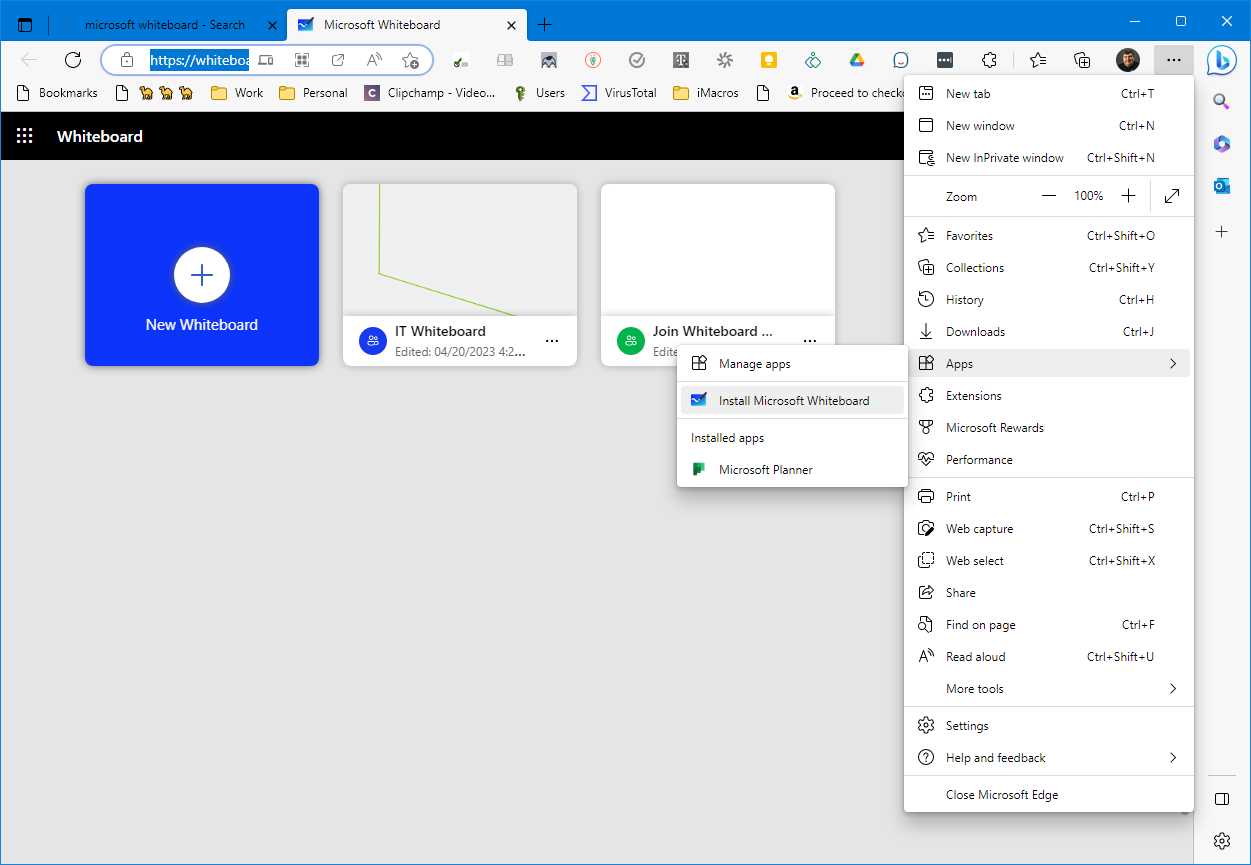
- Hover over Apps
- Click "Install
" or "Install this site as an app"