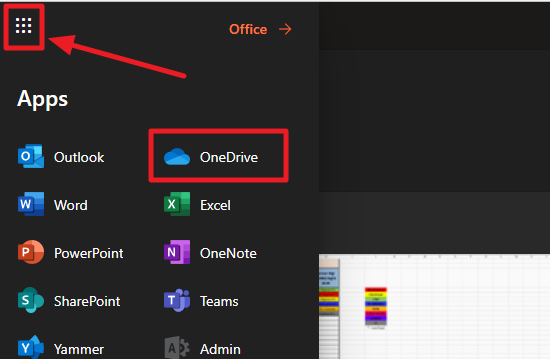
Once logged in, click on the grid icons on the upper left corner of the web page and access the different online versions of Office 365 apps including OneDrive
From here, you can also access the online version of Outlook in case you need to quickly access it from somewhere or if you are having issues with the Desktop app version.
Did this answer your question?Thanks for the feedbackThere was a problem submitting your feedback. Please try again later.