Excel is slow
Symptoms:
Excel is slow when typing
Not responding
it opens unusually slow?
Reason:
1.) you are opening an old version of excel or word document. Make sure to save as to microsoft word docs latest version. (1997-2003 versions are usually the ones that gets the errors)
2.) If still did not OR/IF and you found out that you are accessing a spreadsheet or word docs in the latest version
- change your default printer to a working printer (MEP Copier, Arch/Civil Copier or other)
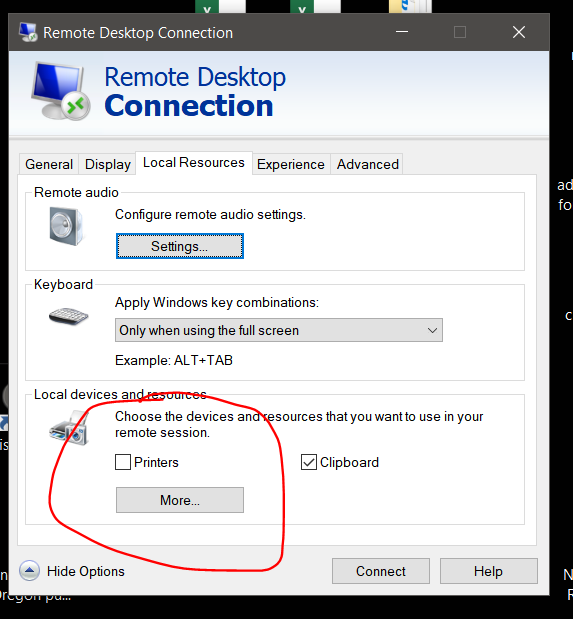
3.) For windows PC see picture below.
- Right Click your RDP file and go to local resources and make sure Printers is unclick. when done go back to General TAB and click save.
disconnect to your remote desktop and relogin (no need t signout just disconnect) so that the new settings you update will work.