How to send an invite for a meeting
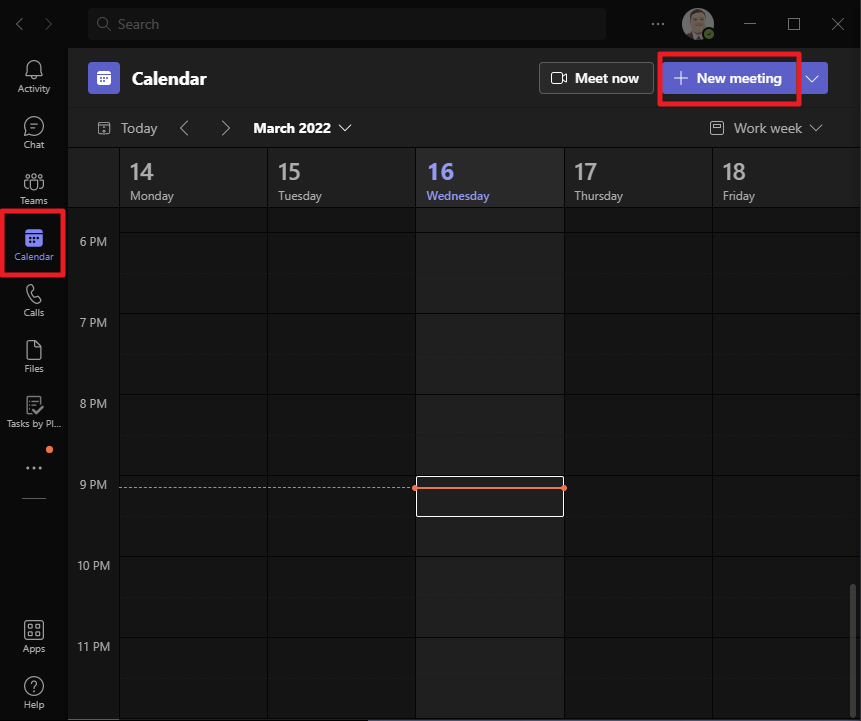
- On your Teams app, navigate to the Calendar tab then click on New Meeting button
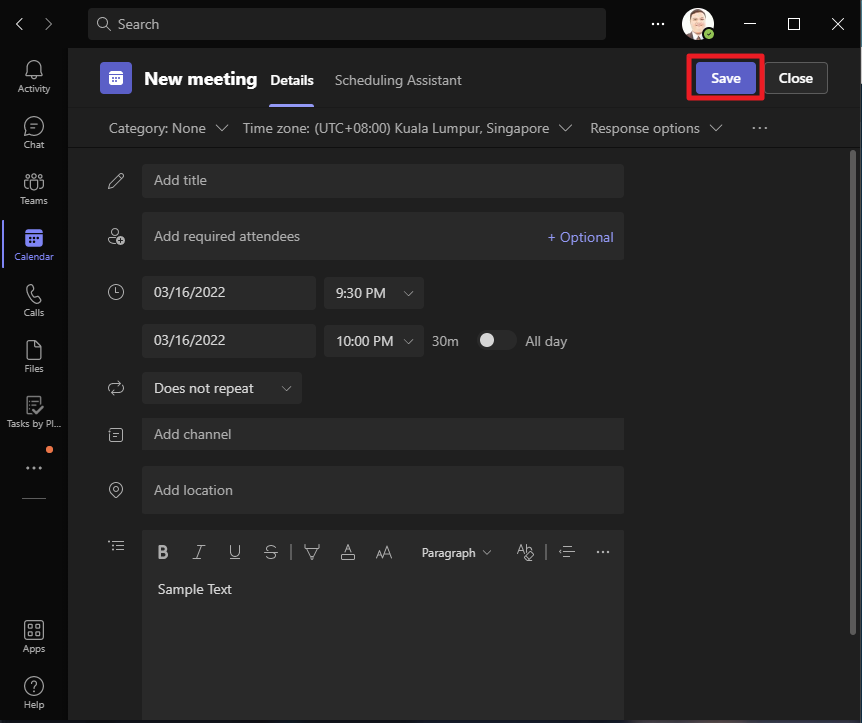
- Set your specifics like Date, Time, required attendees, etc. After setting your specifics, click on Save. This will send out an email invite to your attendees.