Create Custom Keyboard Shortcuts in AutoCAD
Sometimes you may wish to make a custom shortcut in AutoCAD, please do the following to do so:
- Start a new drawing in AutoCAD
- Type CUI and press enter
- Click the plus button to the left of Keyboard Shortcuts
- Drag the command you want from the command list to the shortcut keys
-
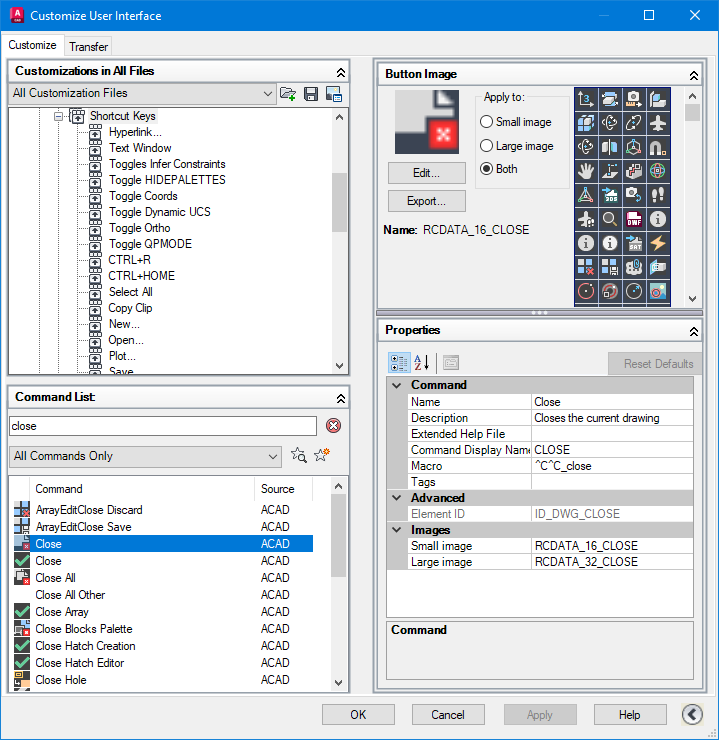
-
Click in Keys on the right and click the three ...
-
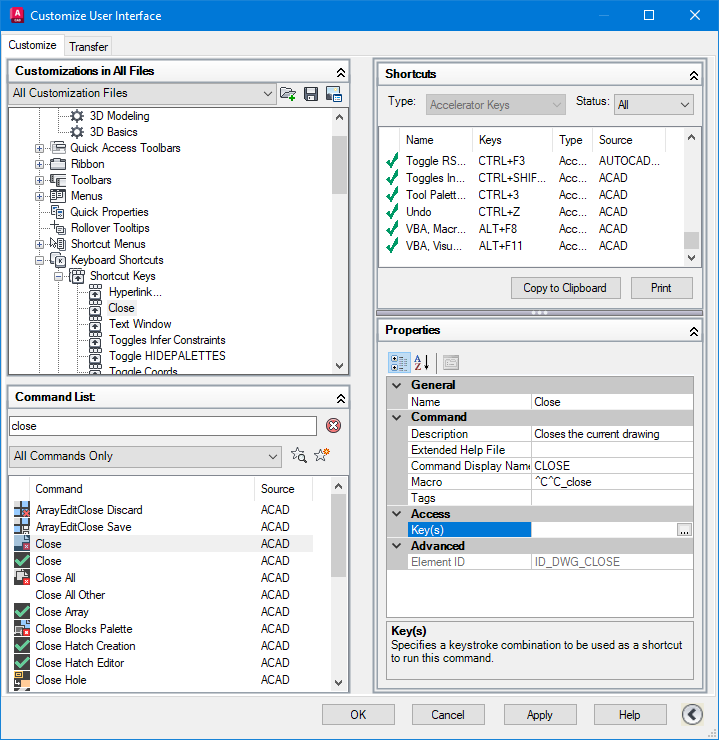
-
Press what you want the short cut key to be
-
Click OK
-
Click Apply
-
Click OK again
