Setting No Session Time Limit
1. Open Group Policy Managment
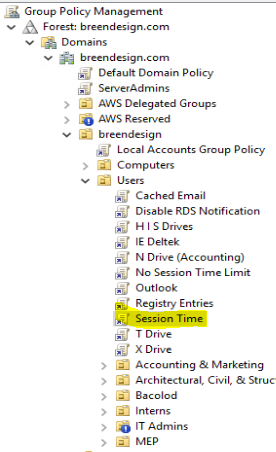
2. Navigate to Session time
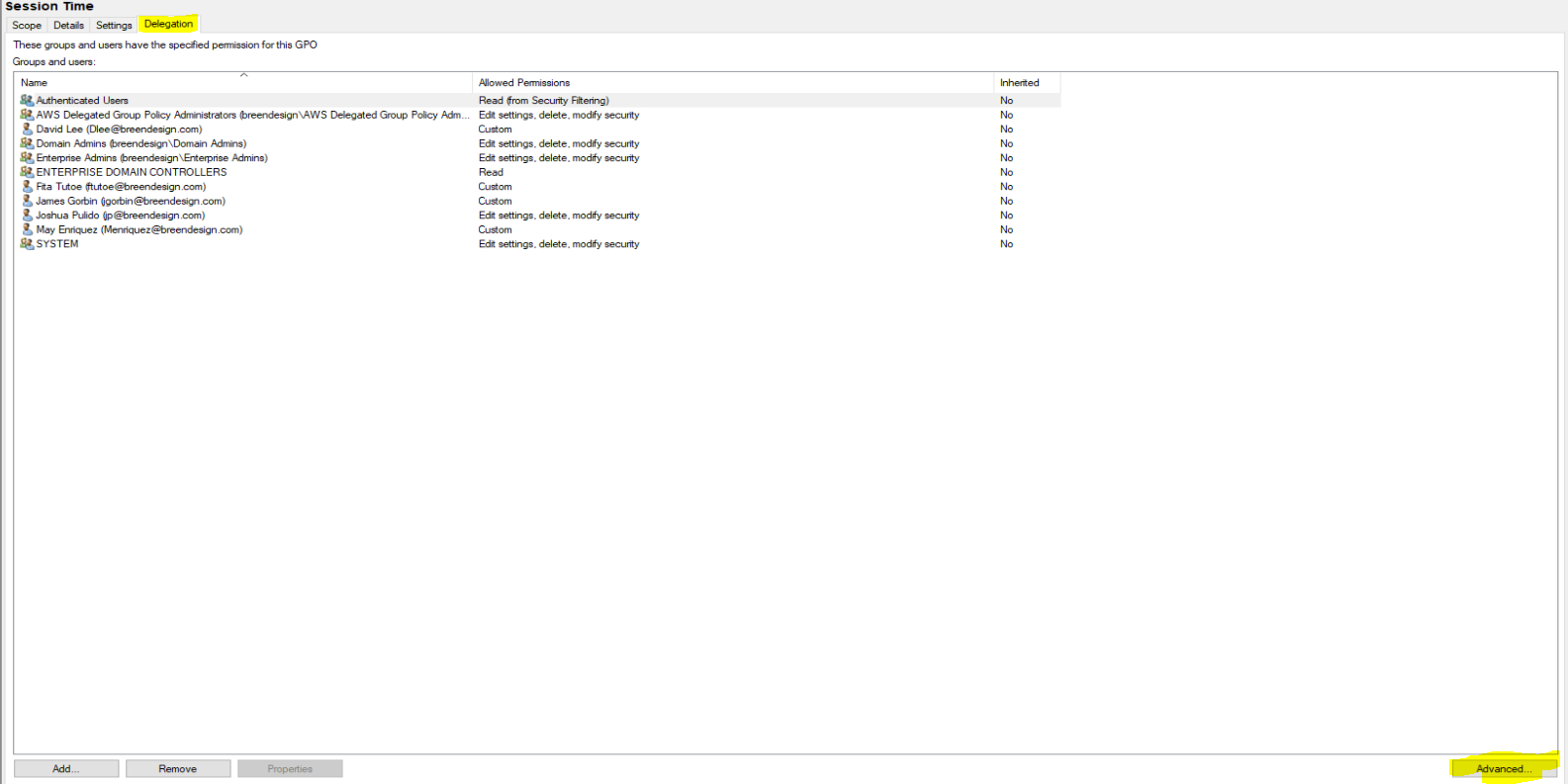
3. Open Delegation and open advance option on lower right of the window
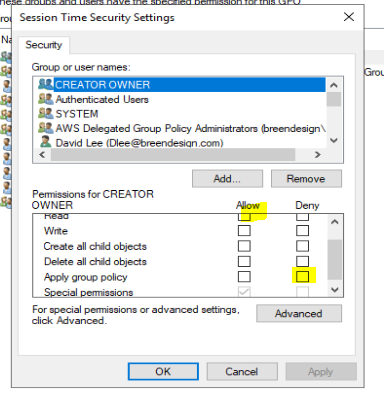
4. Add user and allow "Red" and Deny "Apply Group Policy"
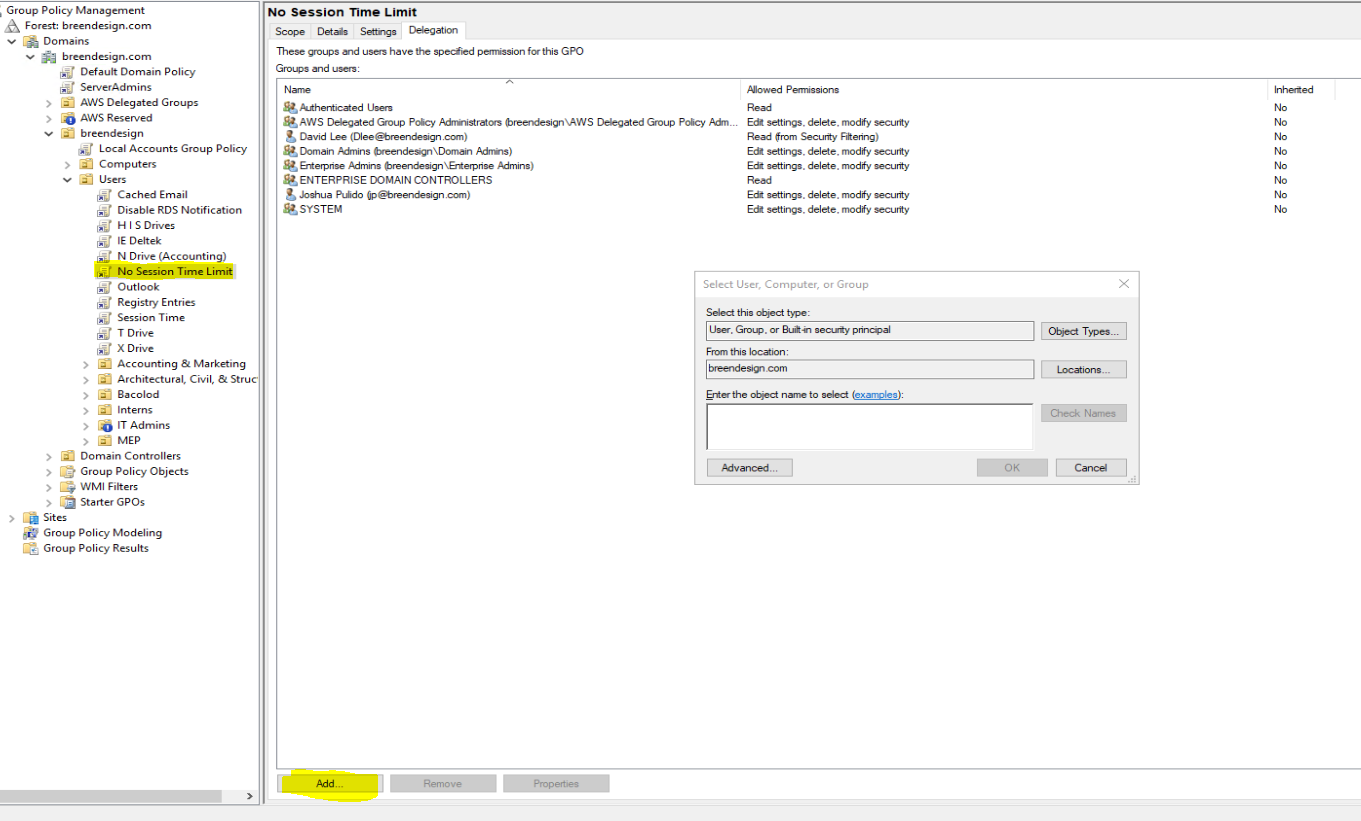
5. Open No session time add user
6. Go into the user assigned server connect to the user
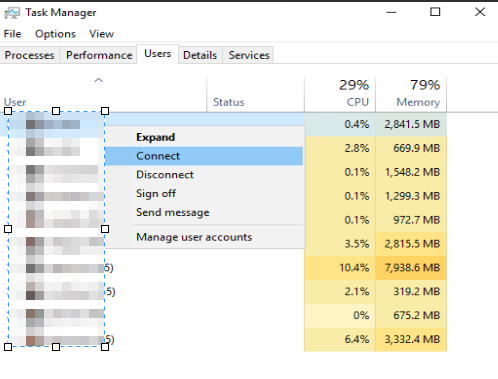
7. Open CMD and run gpupdate /force
8. To check if updates have been applied navigate into Group policty results and GPO Wizard
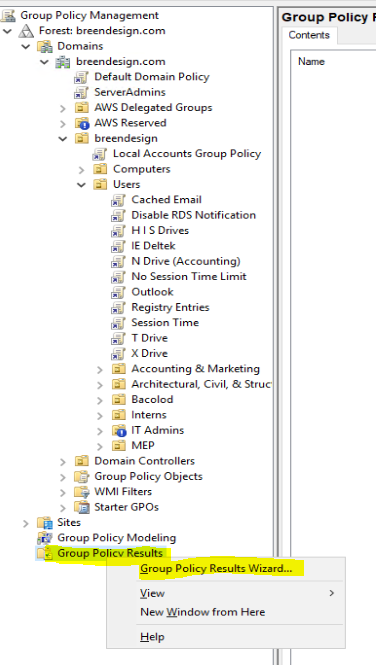
9. Select Specific user
10. Open highlighted sections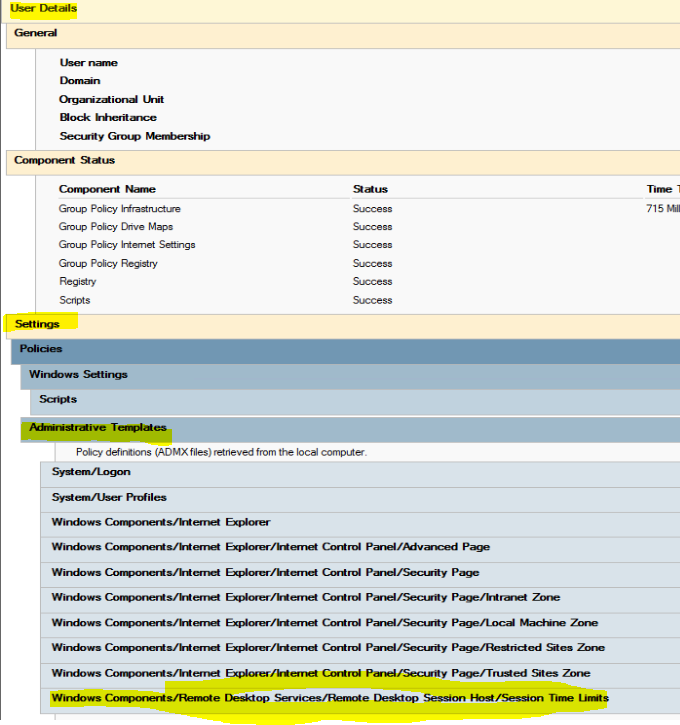
10. This must show never to confirm that your changes has been applied
