Adding/Removing user in MX4140 Copier
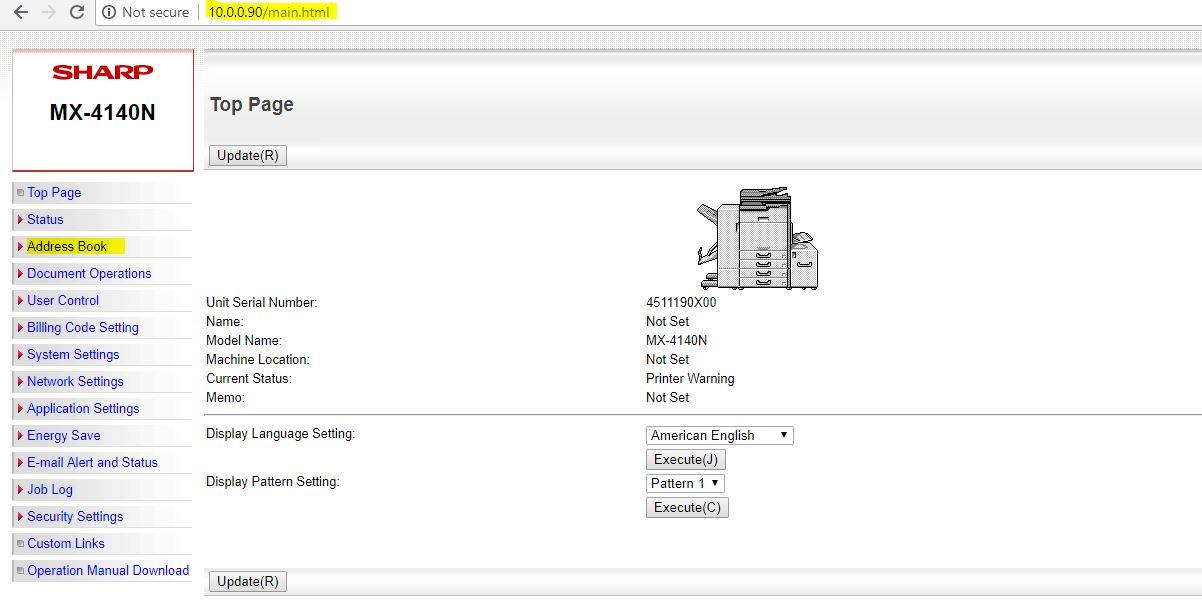
1. Open Google chrome and type 10.0.0.90 in the address bar. Once the Sharp copier page appears, click on the Address Book on the left side of the screen.
*10.0.0.90 is the IP address of the Accounting Copier (Accounting Office)
2.If you wish to delete a user, just click the box on the left side the user’s name and click, Delete (0). Click the 'No.' or the arrow next to it if you want to have an ordered view of the users.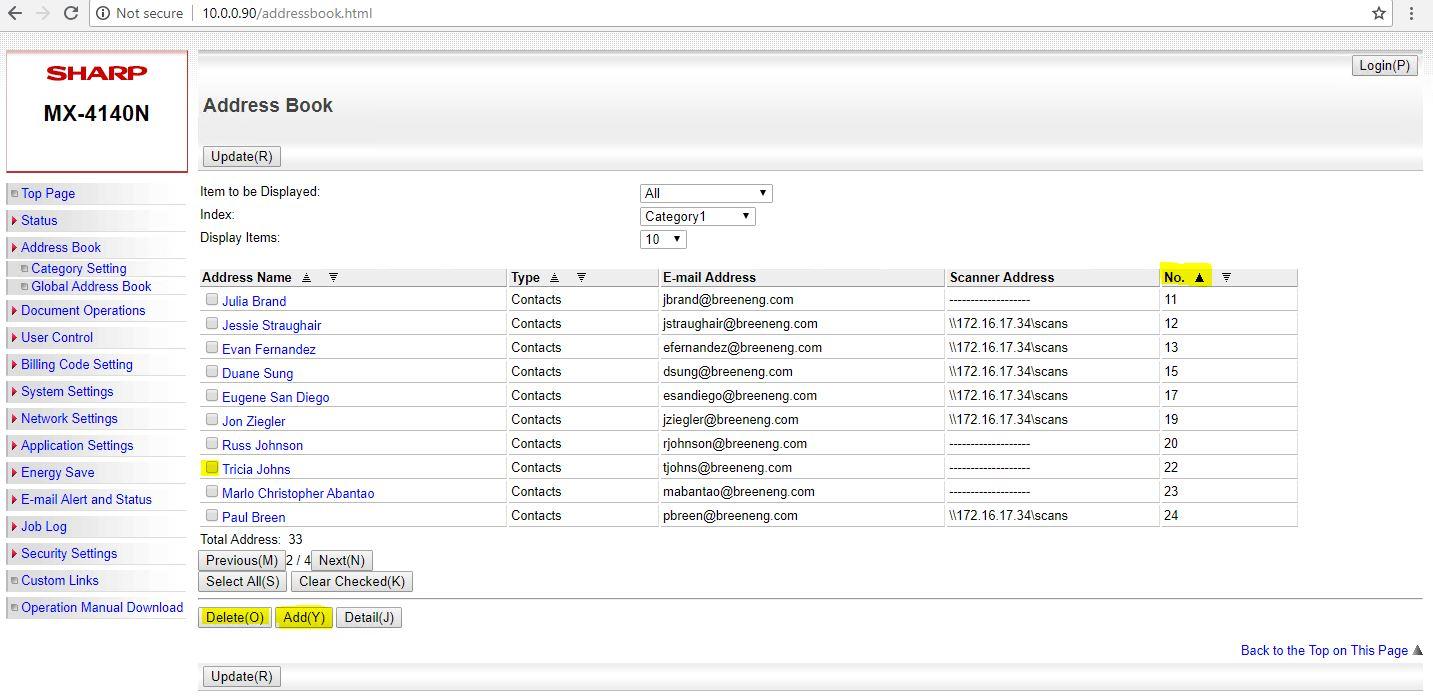
3. if you want to add new user, click add. Input the details needed below; and then submit.
a. manually input the Search Number brace on you track.
b. Input the new Users name (also the Initial)
c. provide the correct email address.
d. Do not forget to Set As Default used
e. File Type is PDF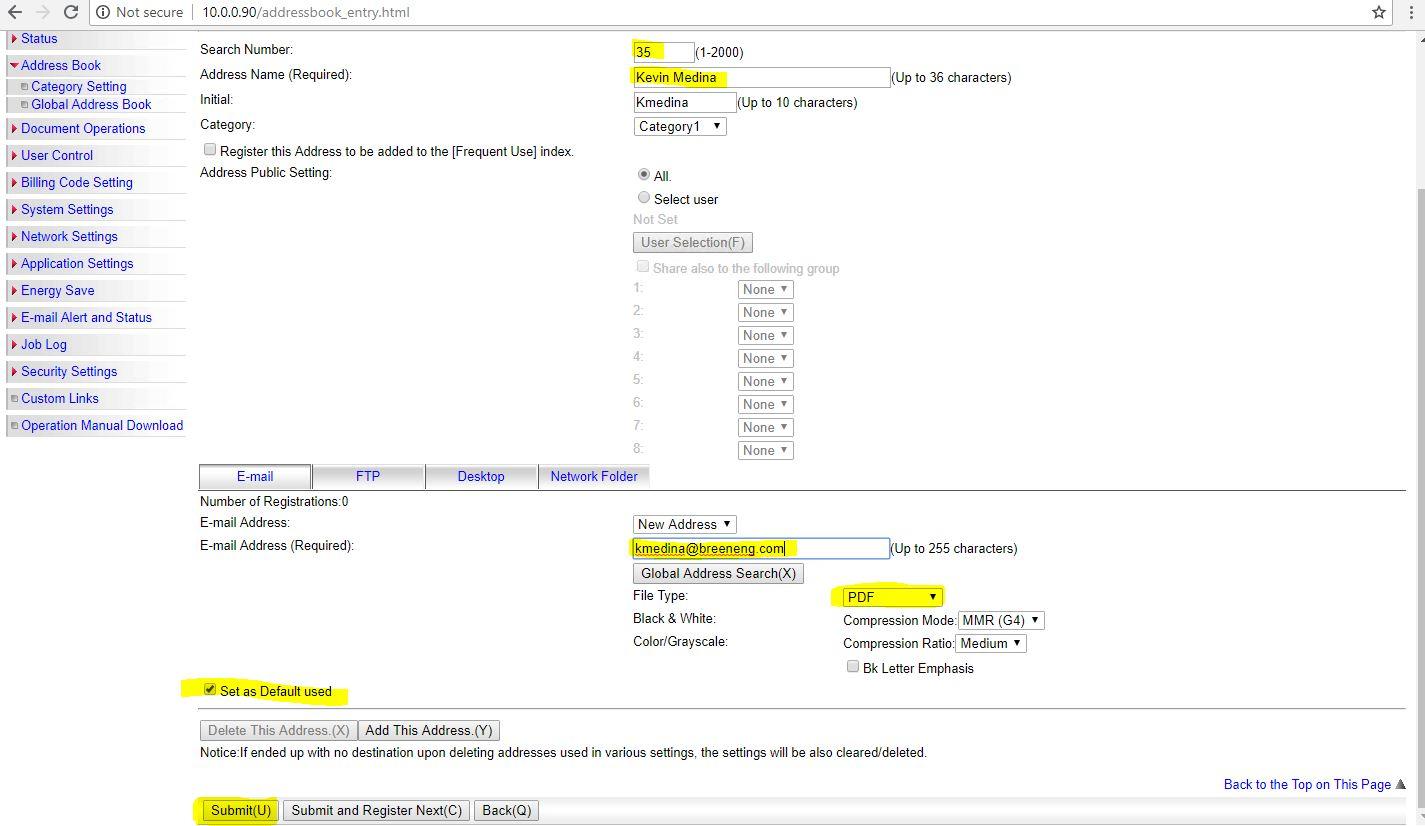
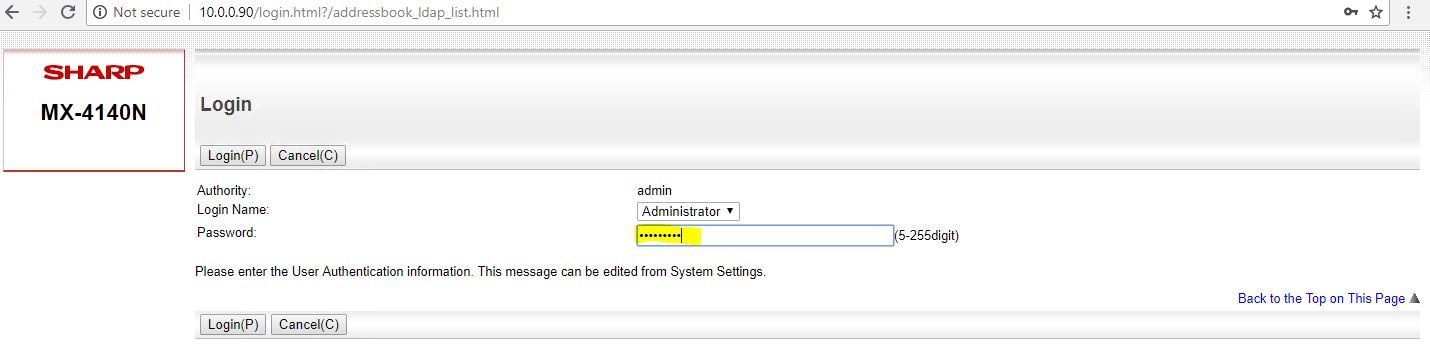
4. If in case you'll be needing the password of the copier to access it;
Login name: Administrator
Password: Br33n!@#
or go to IT Notebook to check for the updated credentials.