Resilio Sync - Sync has stopped working
1. Manually copy all files in the custom commands folder under 0 - ACAD Support from the US to Singapore file server
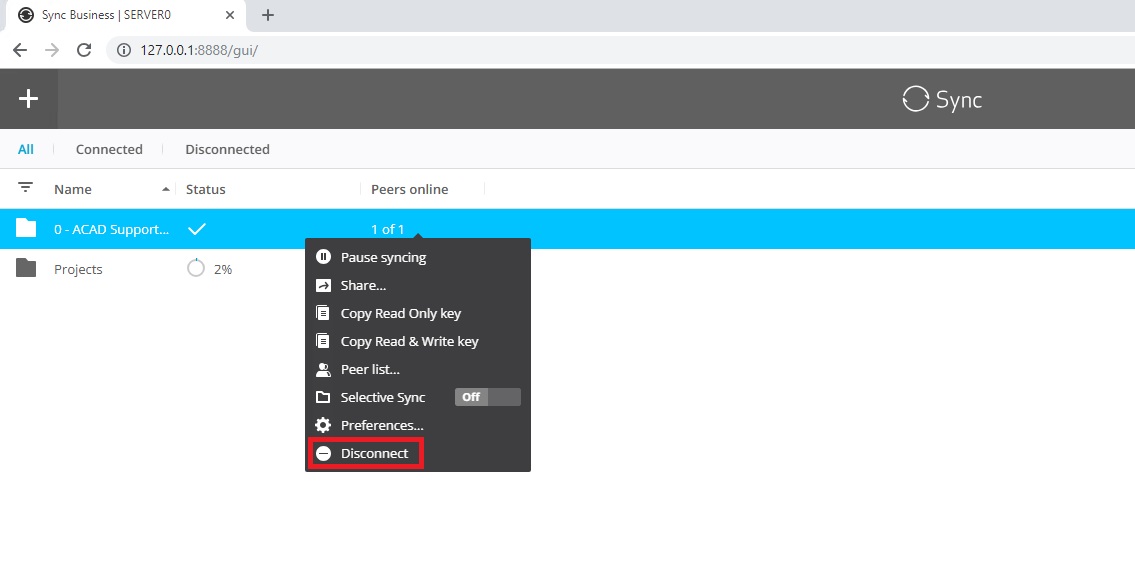
2. Go to both US and SG file servers and login(credentials are written on oneNote) to the web management interface(http://127.0.0.1:8888/gui/) and disconnect the sync of the 0acad support folder
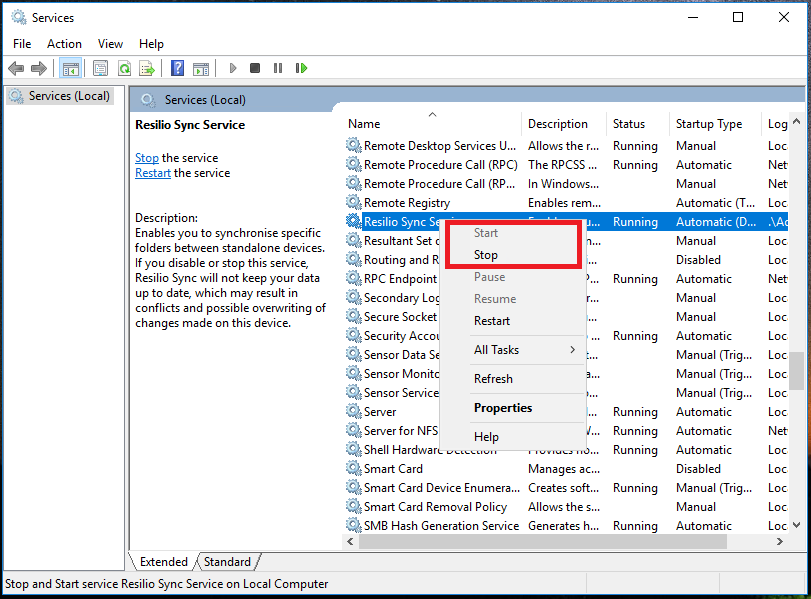
3. Use services.msc to stop and start the resilio sync service on both file servers (after stopping the service you may have to use taskkill from a command line with administrative privileges if it is taking too long to stop on one of the servers)
4. If after restarting the resilio sync service, the sync doesn't begin working within 15 minutes, restart both file servers.
NOTE: Steps 1-3 are required, step 4 may or may not be required.