Changing the domain of a user
When creating an Office 365 account for new employees and you mistakenly use @breeneng.com or @bei-servicesinc.com and want to change it, follow this guide.
- Login to Office online and go to Admin page
- Go to active users and click on the user account you want to modify
- Click on edit in the Username / Email
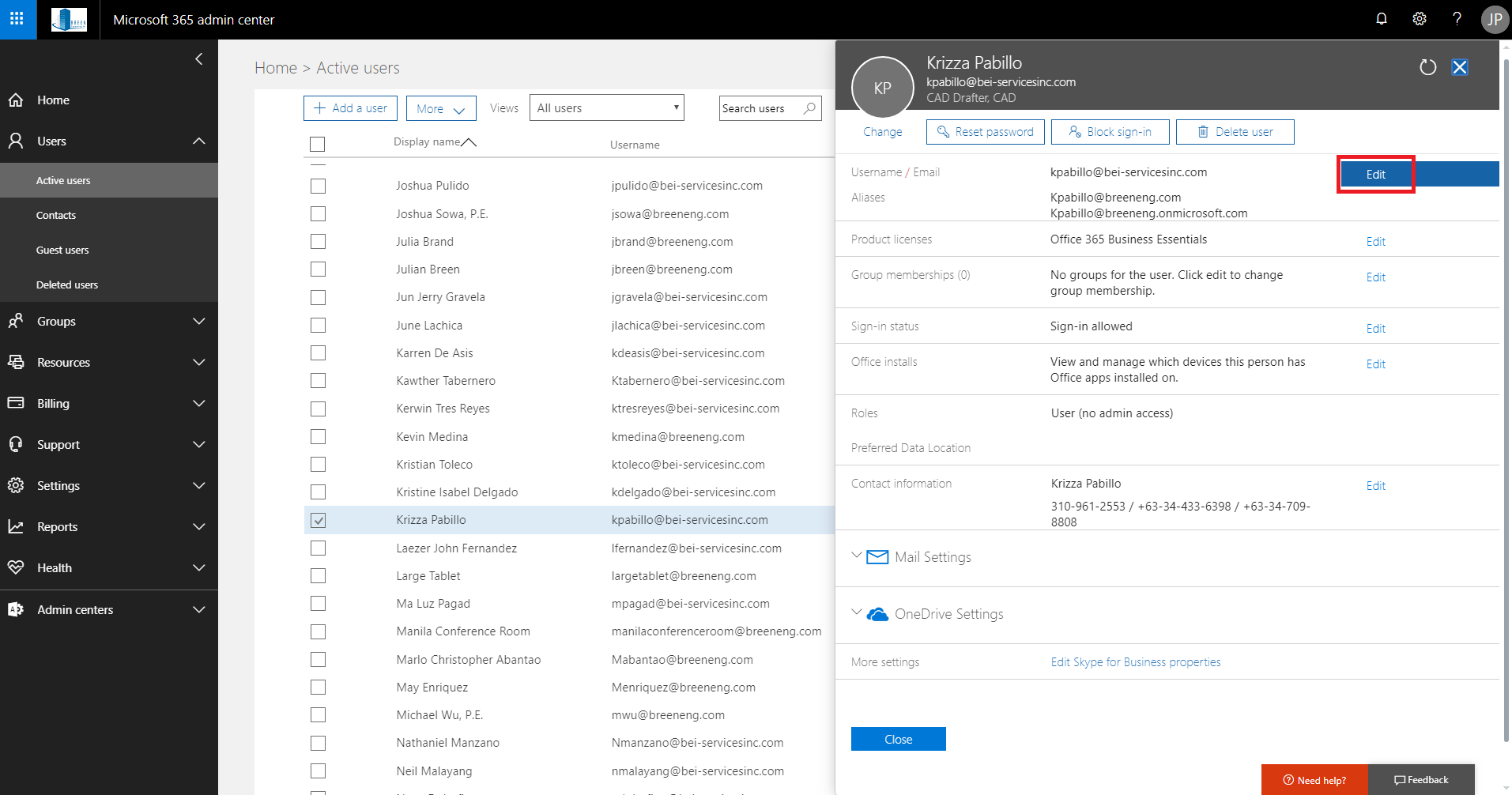 (step 2-3)
 - Add the username and then from the drop down choose the desired domain (either @breeneng.com or @bei-servicesinc.com) then click +Add and then save.
- Do step 3 again, you should now see the alias created, set it as primary.
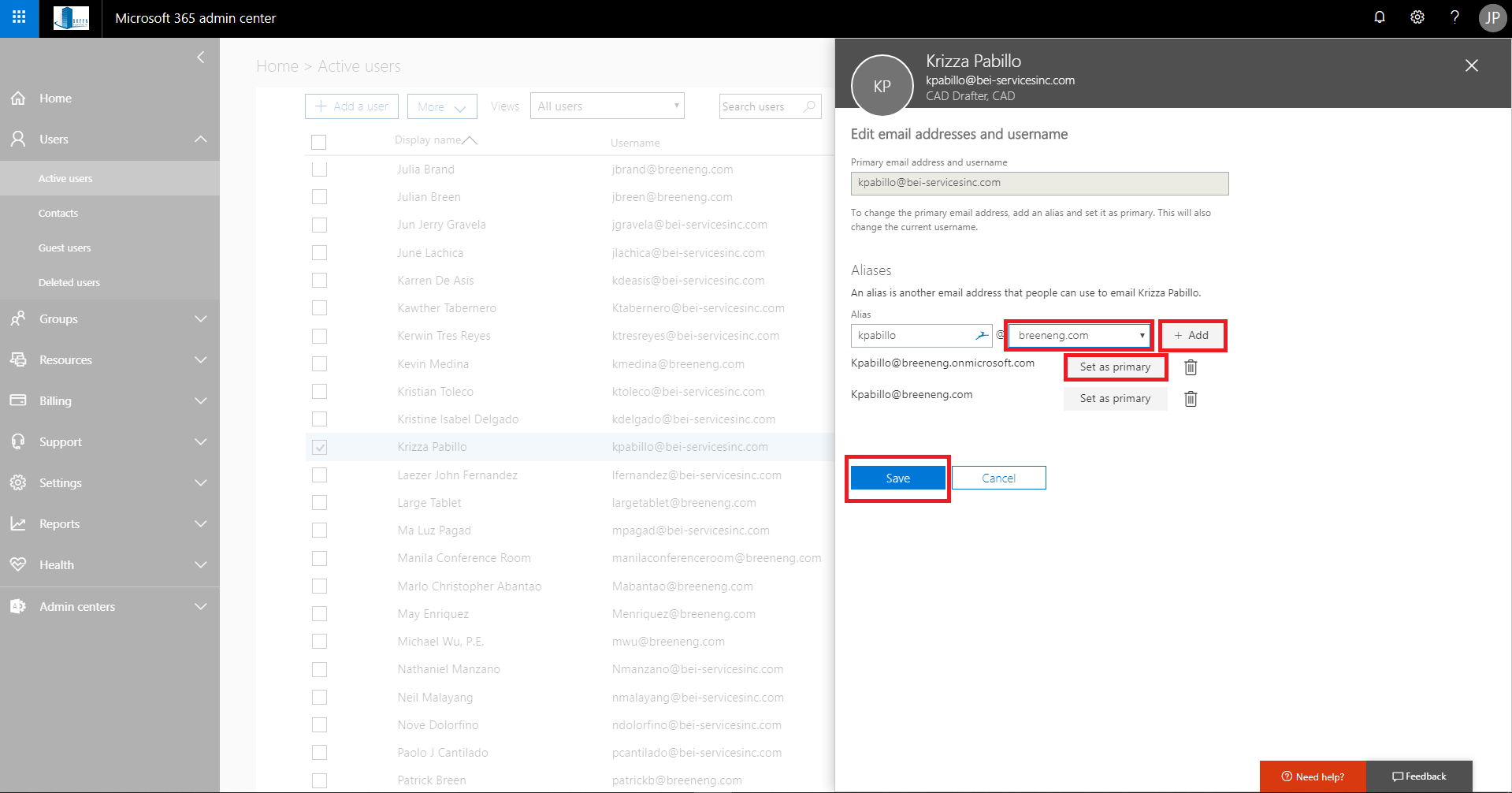 (step 4-5)
 (step 2-3)
  (step 4-5)