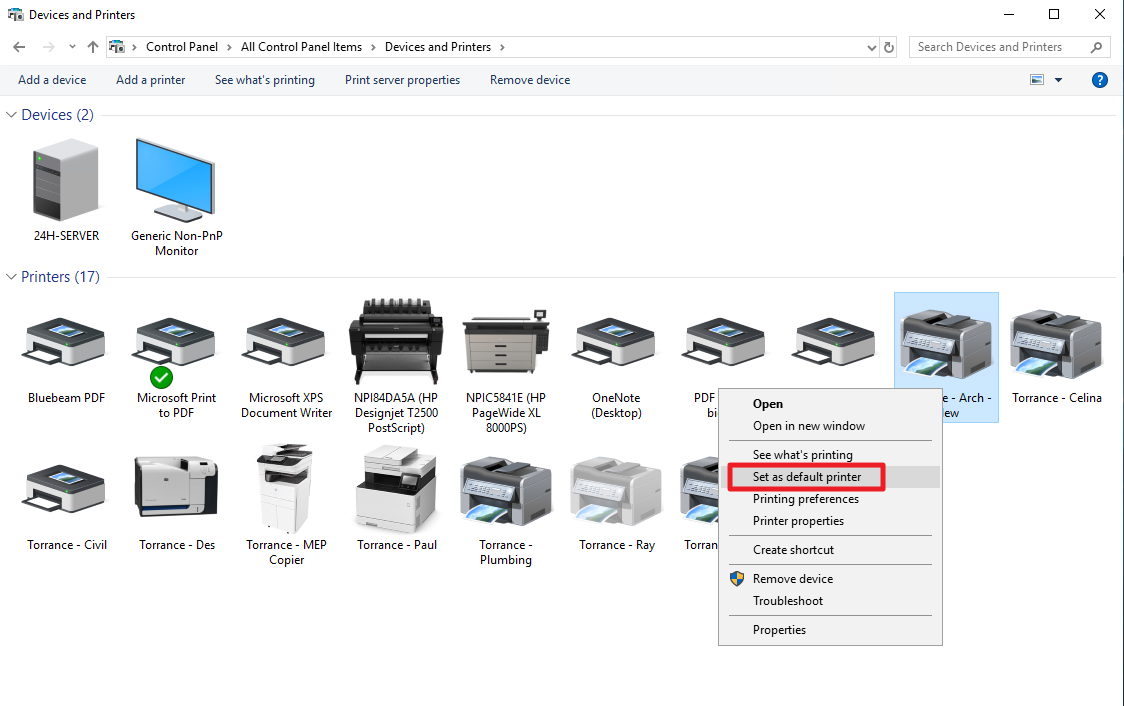
How to set your default printer
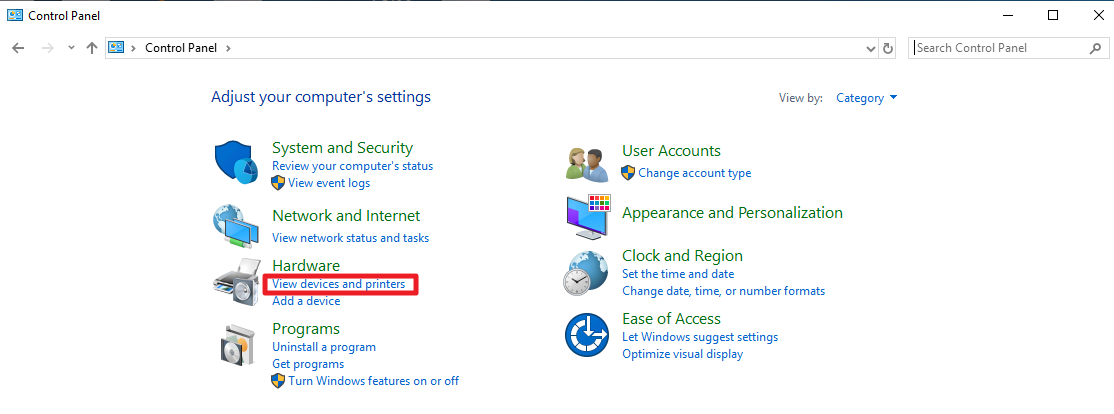
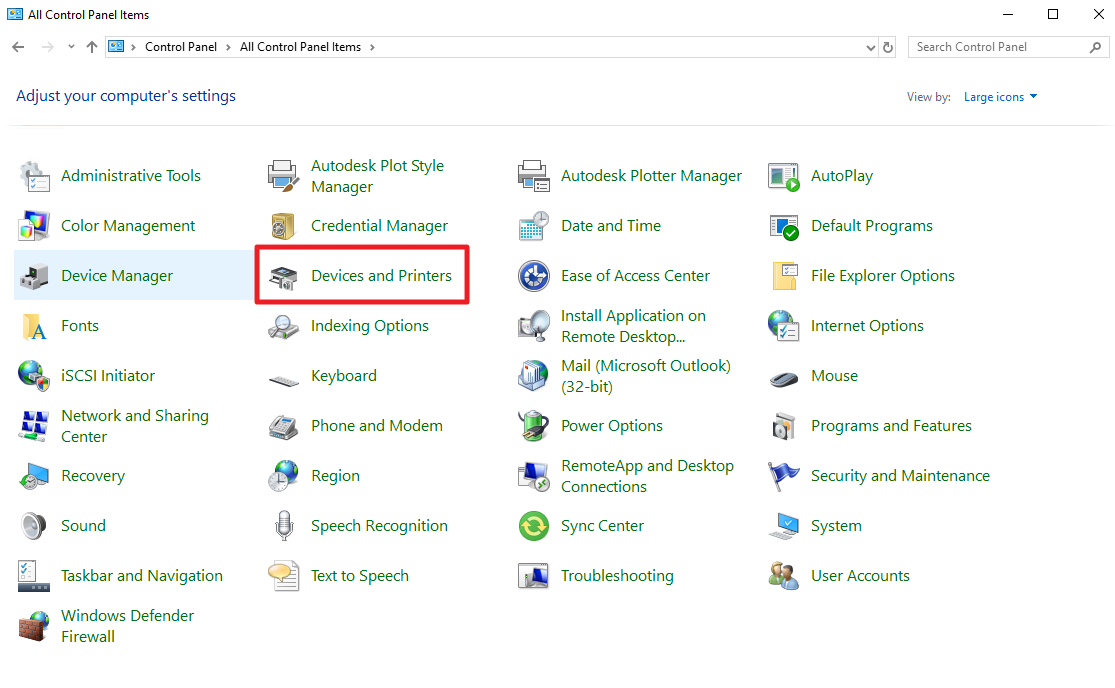
- Go to Control Panel and click on View Devices and Printers. Note: control panel may list its items in different views, see below.
Category View:
Large Icon View:
- Right click your preferred printer/copier then select Select as default printer option