Video Camera Issues (Google Meet)
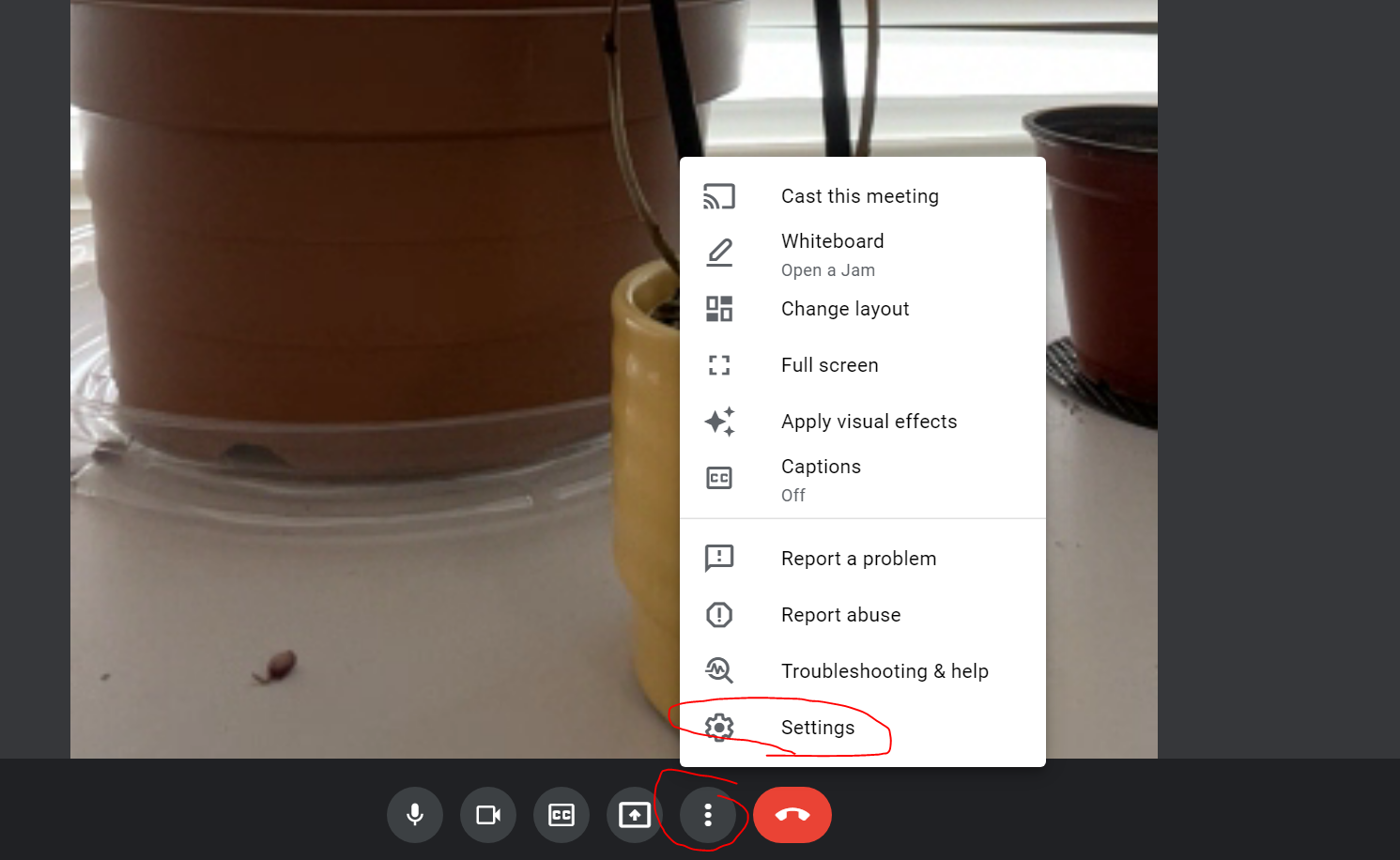
Step 1: Click the three dots to go to the Settings.
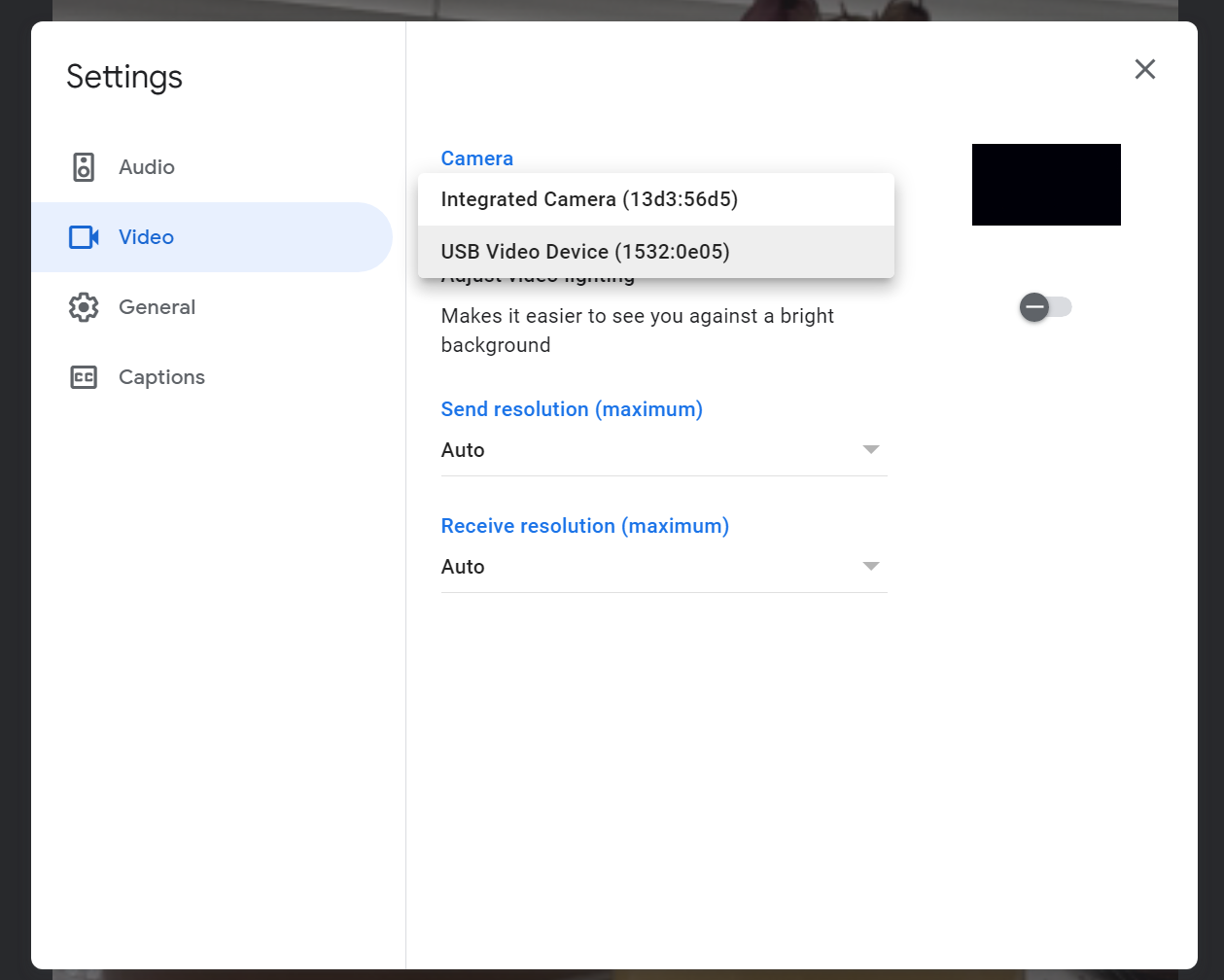
Step 2: Select Video and then choose which camera to use. If you have a webcam connected via flash drive click the USB Video Option. if you are using a laptop, select the integrated camera to use the built-in camera for the laptop.